
If you no longer need Connectworks services for a client, you can either discard or archive the client's information.
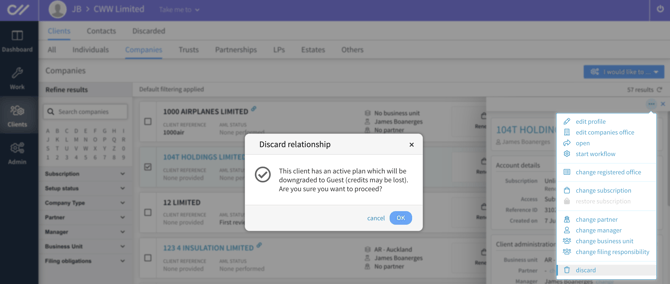
Discarding the client cancels your paid subscription and deletes all documents and data associated with that client.
Discard Clients
You may discard the client if you no longer need to keep the AML information, documents, client history, or any other data associated with the client.
We recommend downloading the reports and documents before you discard the client.
-
For Trusts and Companies, download the Export profile report on the Workspace gallery.
-
You can bulk download documents
- If you have completed AML on the client, downloading the Export Report
Discarding will also cancel any paid subscription associated with the client. We do not offer refunds or credits for unused subscription time.
If you accidentally discard a client, please contact the support team.
Archive Clients
Archiving, on the other hand, safely stores all documents and data, so you can access them later if needed.
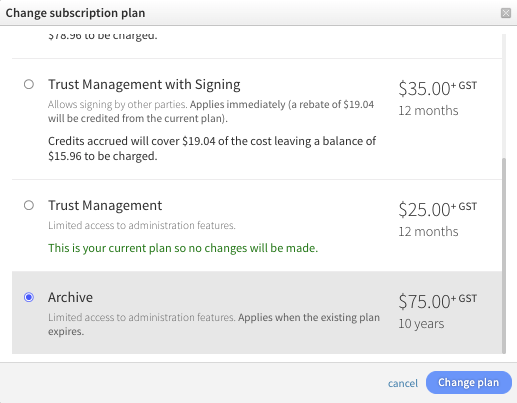
Archiving clients is the best option for keeping all client-related data in one place. We offer a 10-year archive subscription for just $75 + GST.
You can activate this plan from the subscription menu. It will activate immediately, and any remaining time on the current paid subscription will be credited towards the new subscription plan's price.
If you need to access an archived client's data, switch back to the appropriate paid subscription plan, and all your data will be available.